
If your WordPress site has been hacked or flagged for malware, the impact is immediate. Traffic drops. Customers lose trust. Google Search Console warnings can appear overnight. For many business owners, the stress comes from not knowing where the problem started or how serious it is. WordPress malware rarely announces itself clearly. It hides in files, databases, and outdated plugins, quietly damaging your site’s performance and reputation.
WordPress malware removal is not just about cleaning infected files. It is about protecting your business, your data, and your ability to generate leads online. Whether you are dealing with suspicious redirects, slow load times, or a full website takeover, fast and proper malware clean up matters.
At Javalogix, we specialize in WordPress malware removal and hacked website recovery for businesses that cannot afford downtime or guesswork. We take a structured approach to detecting infections, removing malware completely, and securing WordPress sites against future attacks. This guide breaks down what you need to know, how malware gets in, what effective cleanup looks like, and how to keep your site protected long term.
Common Signs Your WordPress Site Is Infected
Most WordPress site owners do not realize their site is infected right away. Malware is designed to stay hidden while it causes damage in the background. Often, the first signs show up indirectly, and by then the infection may already be affecting traffic, user trust, or search visibility.
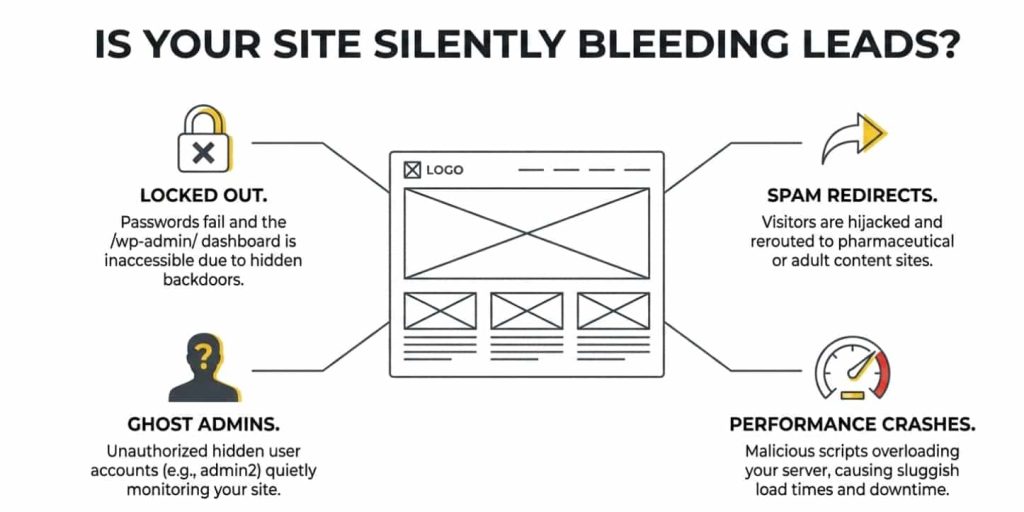
Unexpected redirects are one of the most common warning signs. Visitors may land on spam pages, fake ads, or suspicious websites without clicking anything. Google warnings or blacklisting are even more serious, as they can instantly remove your site from search results or show security alerts to potential customers. Slow performance, unexplained server errors, or sudden spikes in resource usage are also red flags that malware may be running behind the scenes.
You might also notice strange admin users you did not create, modified files, or unfamiliar code inside theme and plugin folders. In many cases, spam links are injected into pages or the database, damaging SEO and credibility.
Recognizing these early signs is critical. The sooner malware is identified, the easier it is to remove completely and prevent long term damage to your WordPress site.
How WordPress Malware Infections Happen
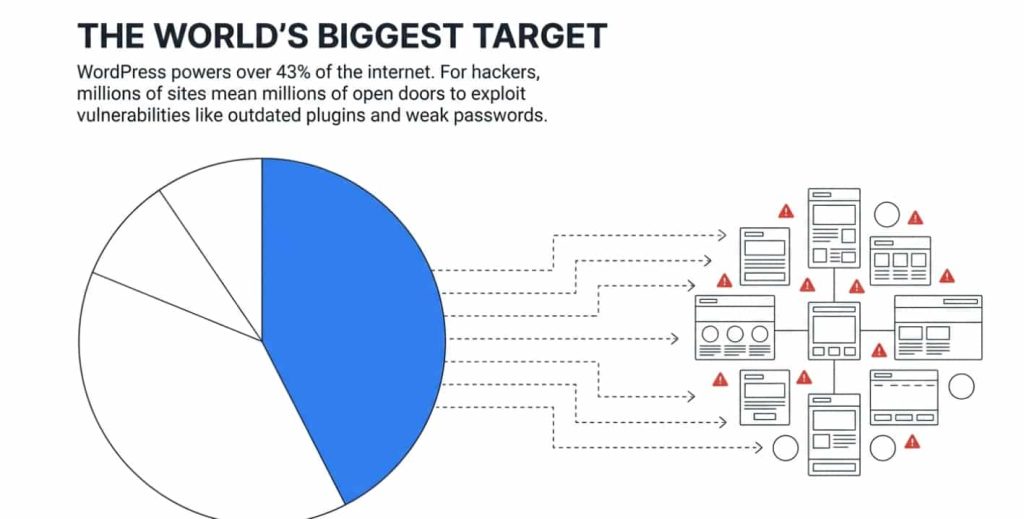
WordPress is powerful and flexible, but that flexibility also makes it a target. Most malware infections do not happen randomly. They exploit common weaknesses that go unnoticed over time.
Outdated plugins and themes are one of the biggest risks. When developers release updates, they often patch known security vulnerabilities. Sites that skip updates leave those doors open. The same applies to an outdated WordPress core, which attackers actively scan for known weaknesses.
Weak passwords and brute force attacks are another major entry point. Simple admin credentials can be cracked in minutes by automated bots. Shared hosting environments also increase risk, as a compromised site on the same server can sometimes affect others.
One of the most dangerous sources of malware is pirated themes or WordPress plugins. These files often contain hidden malicious code from the start. Once installed, they give attackers direct access to your site.
Understanding how infections happen helps you close the gaps. Malware prevention starts with awareness, not just cleanup.
Key Features to Look for in an Effective WordPress Malware Cleaner
Not all WordPress malware cleaners offer the same level of protection. Choosing the wrong solution can leave hidden infections behind and lead to repeated hacks. Knowing what features matter makes a real difference.
A reliable malware cleaner should offer deep file and database scanning. Many infections hide outside obvious locations, so surface level scans are not enough. Automatic malware removal is also important, especially for business owners who need fast results without manual file editing.
Web application firewall protection helps block malicious traffic before it reaches your site. File integrity monitoring allows you to detect unauthorized changes quickly, which is often the first sign of reinfection. Strong login protection and brute force prevention reduce the risk of attackers regaining access.
Post cleanup monitoring and alerts are often overlooked but critical. Malware removal is not a one time event. Ongoing monitoring ensures your site stays clean after recovery.
An effective WordPress malware cleaner should not just remove security threats, but actively protect your site moving forward.
Step by Step WordPress Malware Removal Process
Successful WordPress malware removal requires a structured approach. Skipping steps or rushing the process often leads to reinfection.
The first step is creating a secure backup of your site. This ensures you can restore data if something goes wrong during cleanup. Next, a full malware scan should be performed using both plugin based tools and server level checks to identify infected WordPress core files and database entries.
Once malware is detected, infected files must be removed or cleaned carefully. Compromised core WordPress files should be replaced with fresh copies from a trusted source. Infected WordPress plugins or themes should be removed entirely, not reused.
All passwords must then be reset, including admin accounts, hosting credentials, and database access. If your site was blacklisted by Google or flagged by security services, a cleanup verification and reconsideration request may be required.
Each step matters. Proper malware removal focuses on accuracy, not speed alone.
Recommended WordPress Malware Removal Tools
There are several trusted tools that help with WordPress malware removal, each serving a different purpose.
MalCare is known for deep scanning and one click malware removal. It works well for non technical users and handles cleanup efficiently, though advanced customization is limited.
Wordfence security plugin offers strong firewall protection and detailed scan reports. It is effective for monitoring and login security, but manual cleanup may be required for complex infections.
Sucuri provides server side scanning and blacklist monitoring. It is well suited for businesses that want ongoing protection, though full cleanup services often come at a higher cost.
No tool is perfect on its own. In many cases, combining tools with professional oversight delivers the most reliable results.
Preventing Future WordPress Malware Infections
Prevention is where real peace of mind comes from. Once malware is removed, securing your WordPress site is essential to avoid going through the same stress again.
Regular updates are the foundation. Keeping WordPress, plugins, and themes current closes known security gaps. Hardening your wp-config file, setting proper file permissions, and disabling file editing reduce the risk of unauthorized changes.
Limiting login attempts and enabling two factor authentication adds another layer of protection against brute force attacks. A firewall and active monitoring service help block malicious traffic and alert you to suspicious behavior early.
Security is not about one tool or setting. It is about maintaining good habits and consistent oversight that protect your site long term.
When to Hire Javalogix for WordPress Malware Removal
There are situations where malware removal should not be handled with trial and error. If your WordPress site keeps getting reinfected, has been blacklisted by Google, or shows signs of hidden backdoors, it is time to involve professionals who deal with these cases every day. These are not surface level issues and quick fixes often make them worse.
Incomplete cleanup can quietly damage your site long after the visible malware is gone. Broken functionality, declining search rankings, and lingering security gaps are common results of partial removal. Malware rarely lives in one place, and missing even a small fragment can leave your site exposed.
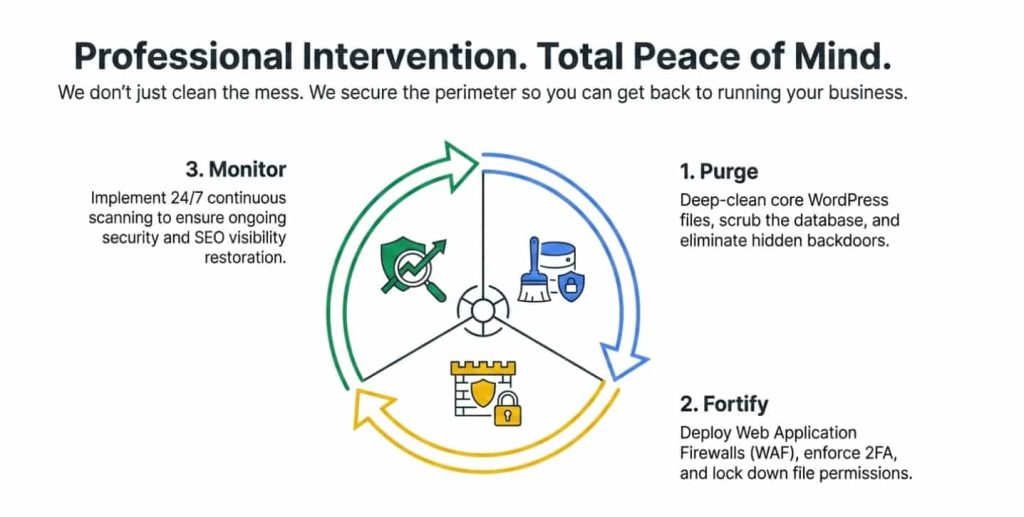
Javalogix provides professional WordPress malware removal for businesses that need certainty, not guesses. We identify the root cause, remove all malicious code, secure your site properly, and put safeguards in place to prevent repeat attacks. Our process is built around precision, speed, and long term protection.
Hiring Javalogix is not about convenience. It is about protecting your website, your customers, and the credibility of your business online.
Take Control of Your WordPress Security Before the Damage Spreads
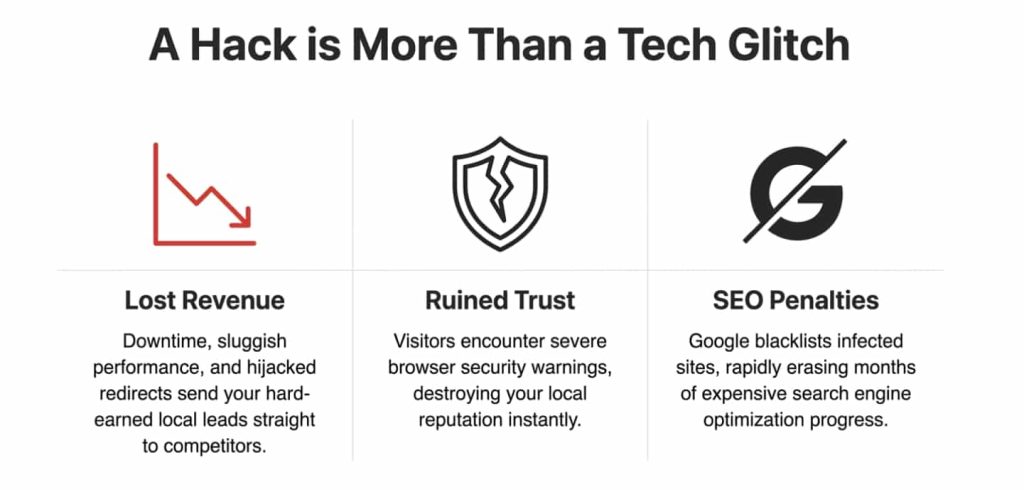
WordPress malware does not fix itself, and waiting rarely improves the situation. Every day an infection stays active increases the risk of lost traffic, damaged rankings, and broken trust with customers. The good news is that malware can be removed properly, and your site can be secured so it does not become an ongoing problem.
The key is acting quickly and choosing the right approach. Surface level fixes and partial cleanups often lead to reinfection, more downtime, and higher costs down the road. A complete cleanup, paired with real security hardening, gives you clarity and confidence moving forward.
If your WordPress site has been hacked, flagged by Google, or is showing signs of malware, Javalogix is here to help. We specialize in professional WordPress malware removal and hacked website recovery for businesses that rely on their websites to perform. Our team will identify the root cause, remove all malicious code, secure your site, and help protect it long term.
Do not wait until traffic disappears or customers lose trust. Reach out to Javalogix today and request a WordPress malware assessment so you can get your site back under control.

FAQs About WordPress Malware Removal
How do I know if my site is fully clean? A clean site shows no malicious files, no suspicious database entries, and passes security scans without warnings. Monitoring after cleanup is key.
Can malware come back after removal? Yes, if the original vulnerability is not fixed. That is why security hardening matters.
Is free malware removal safe? Free tools can help detect issues, but they often miss deeper infections or require manual cleanup.
How long does WordPress malware cleanup take? Simple cases may take hours. Complex infections can take one to two days depending on severity.
TLDR
WordPress malware can damage traffic, trust, and rankings fast. This guide explains how infections happen, how to remove malware properly, and when to hire Javalogix for secure WordPress malware removal.